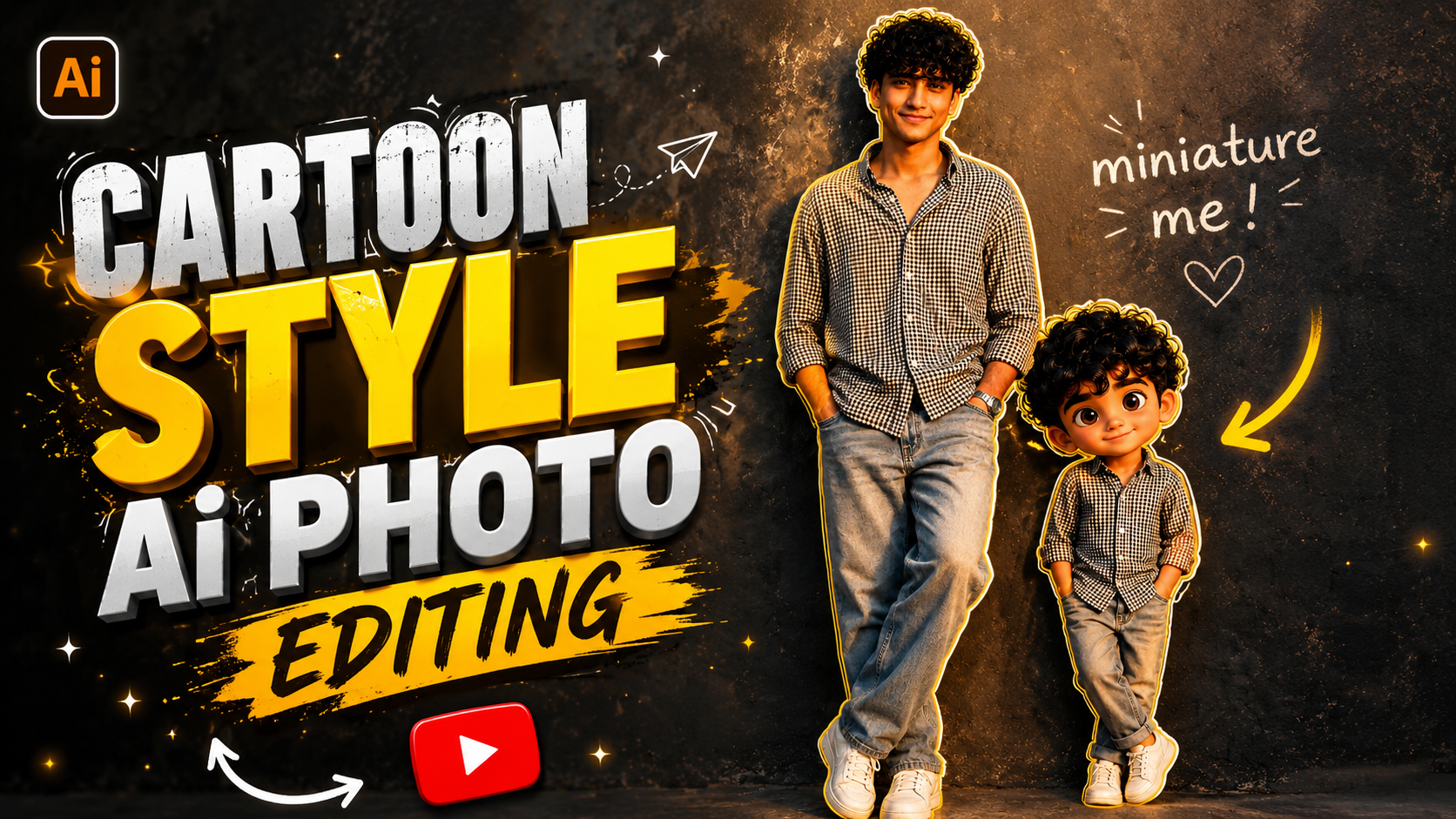
Nowadays, AI prompts for editing photos into baby-style cartoons are going viral rapidly on social media. On Instagram, Facebook, and YouTube Shorts, people are transforming their own photos—or those of their children—into a cute cartoon style and posting them online. This new AI trend is proving to be extremely popular, as it makes the photos look exactly like animated cartoons.
If you, too, want to give your photos a “baby cartoon” look, this article will be extremely helpful for you. Here, you will find comprehensive information—explained in simple language—on what a “Chibi Cartoon AI Photo Editing Prompt” is, how to use it, and how to create viral cartoon photos.
What is a Chibi Cartoon AI Photo Editing Prompt?
This is a special AI prompt that transforms any normal photo into a cute baby cartoon style. AI tools interpret the prompt and give the photo a cartoon effect, smooth skin, big eyes, and a colorful animated look.
This style is especially:
- Instagram Reels
- WhatsApp DP
- YouTube Thumbnail
- Couple Photos
- Birthday Editing
It is being used extensively for this purpose.
How does the Chibi Cartoon AI Photo Editing Prompt work?
When provided with the right prompt, AI tools generate your photo in that specific style. The better the prompt, the more spectacular the resulting photo will be.A trending prompt is provided below that you can use.
Best Tools for Creating Chibi Cartoon AI Photo Editing
Popular AI Tools
- ChatGPT AI Prompt
- Bing Image Creator
- Gemini AI
- Leonardo AI
- Midjourney
- Canva AI
Tips for Creating Better Chibi AI Photos
- Use high-quality photos.
- Be sure to include “Ultra HD” and “3D Cartoon Style” in the prompt.
- Use a bright background.
- Photos with cute expressions work best.
- Select the “Pixar Style” or “Anime Style” option in the AI tool.
How To Use Chibi Cartoon AI Photo Editing
- First, open ChatGPT.
- Now, log in to your Gmail ID.
- After that, add a high-quality photo of yourself using the plus icon at the bottom.
- You will now find the option to write a prompt here; simply enter the prompt in this section. You can find this specific prompt within this very article—all you need to do is copy and paste it.
- Now, simply click on the arrow and wait for a few seconds, and your photo will be ready.
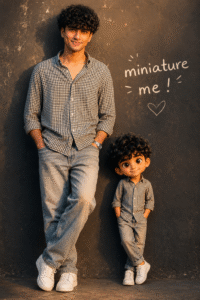
Prompts Boy & Girl :
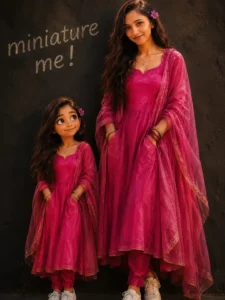
8K cinematic portrait: above girl as her miniature version.Side by side against textured dark wall, handwritten “miniature me!” text. Both in matching dresses white sneakers, hands in pockets. Women leans with soft smile; child has cartoon-style face, large expressive eyes. Ultra-realistic skin texture, warm soft lighting, shallow depth of field, sharp focus, studio quality,.
Conclusion
The “Chibi Cartoon AI Photo Editing” has emerged as a highly popular and creative AI trend in recent times. With its help, anyone can transform a simple photograph into a cute cartoon image. If you are looking to create unique content for Instagram or YouTube, this trend could prove to be quite useful for you.